Bring Lera to your clients

Refer us, resell our voice agents under your brand or build them into your software. You choose how to work with us.

Book a call

No joining fee and no exclusivity.

Rather try it first? Create your free account

Three ways to partner with us

Pick the one that fits what you already do.

Refer

For advisory firms, accountants, consultancies, installers and IT providers who work with small businesses.

Introduce us to a client and Lera takes it from there. We close the sale, get them up and running and support them.

  • Nothing to sell or set up yourself
  • Lera bills and looks after the client
  • You earn 15% of the setup and 10% of every month, for the first year
Resell

For agencies, integrators and distributors.

Offer voice agents as your own service. You build your clients’ agents, set your own price and bill them yourself.

  • All your clients in a single panel
  • Each client with their own monthly allowance and packs
  • Under your brand and domain, if you wish

Integrate

For companies building business software, ERP, CRM or scheduling tools.

Build Lera’s voice agents into your product. Create your clients from your own system and they sign in without registering.

  • Accounts, agents and usage through the API
  • Calls and their analysis in your application, as they happen
  • Or the panel inside yours, on your domain

What you get as a partner

  1. One panel for all your clients

    See every client and what they use, and step into their account to build or adjust their agent.

  2. Monthly allowance and packs per client

    Voice minutes, chat messages and transfers, each client with their own. We warn you before they run out and you decide whether the agent keeps answering.

  3. Your brand

    Your name, your logo and your own domain. Your clients sign in to a panel that carries your brand, not Lera’s.

  4. The right access for each person

    Each client’s team signs in as Viewer or Editor. They never see prices or billing.

  5. API and MCP connector

    Automate accounts, agents, packs and access from your system, receive every call when it ends with its analysis, or build agents straight from your editor.

    See the API
  6. Data protection in place, no exclusivity

    Lera acts as your sub-processor under a published agreement. And you are free to work with whoever you like.

    Read the sub-processing agreement
  7. Partner kit, optional

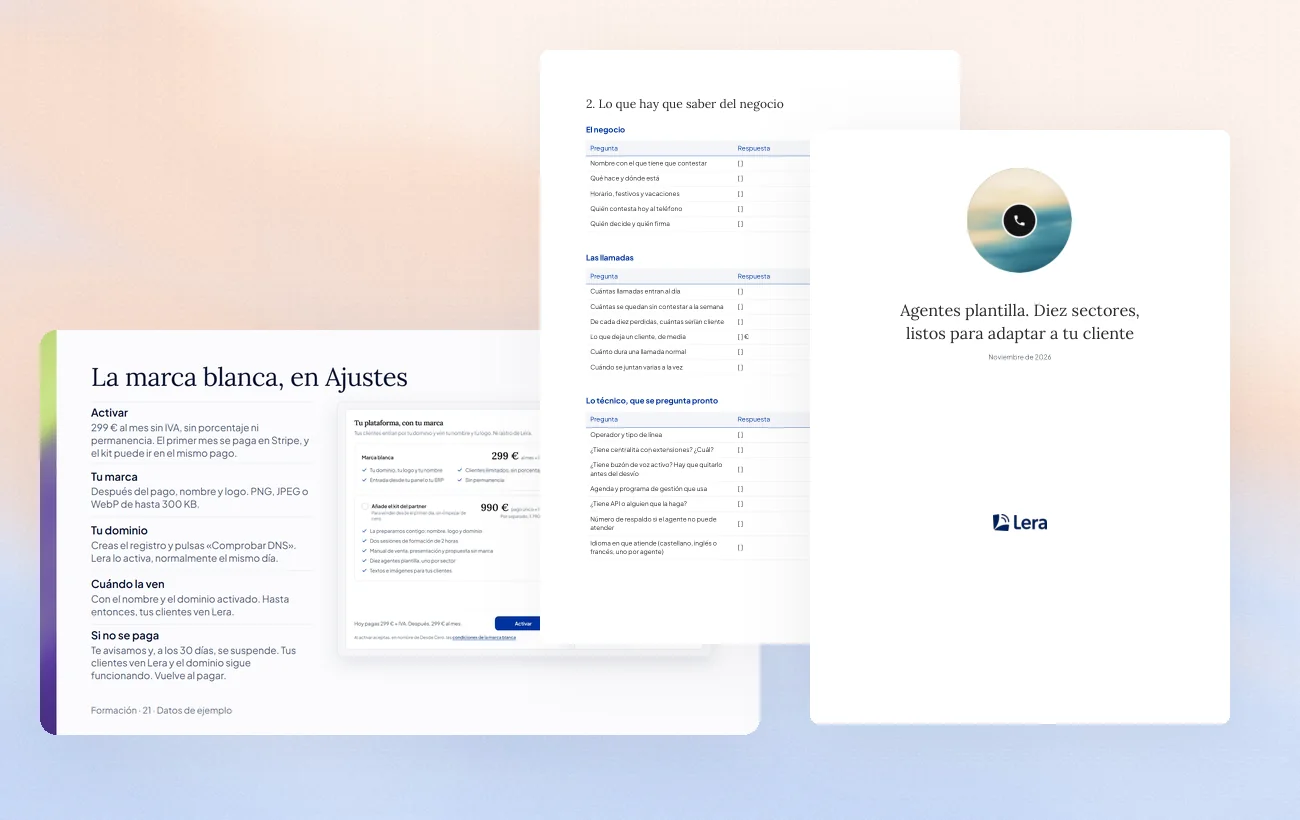
    Material to sell under your brand and two two-hour training sessions with us. If you are interested, we will give you the details.

    A training slide and two documents from the partner kitAsk for more information

And underneath, the same product any business gets. Agents built from a single prompt or a step-by-step flow, functions that talk to their ERP or CRM, bookings with Cal.com, a knowledge base and chat on their website. See the product

How it connects to your system

The technical side, in a few words. We go through it on the call and in the API docs.

  1. One key for your whole portfolio

    You create a key in the panel and use it to set up clients, build their agents and see their usage from your own system. Each request says which client it is for.

  2. Your clients get in without signing up

    You request a sign-in link for a person and they go straight into their company’s panel, as Viewer or Editor. The link works once and expires after five minutes.

  3. When the call ends, it reaches your system

    When it finishes, Lera sends the summary, the data collected and the conversation to the address you set for each client, signed as well. If your system does not answer, it retries.

  4. Or build it from your editor

    With the MCP connector you create and adjust your clients’ agents by talking to your coding assistant. Everything stays as a draft until you publish it.

See the API documentation

How the agent talks to your system

Simple enough for anyone, with what your technical team needs.

  1. The agent needs a piece of data

    Halfway through the call, the customer asks about their order. The agent calls the address you set for that function and passes on what the customer asked for.

  2. The request is signed

    It carries a signature made with a secret that only exists in your panel. Your system recomputes it with the same secret. If it matches, it knows it is Lera. If not, it rejects it.

  3. Your system answers

    It returns the data within seconds and the agent tells the customer in its own words. If your system does not answer, the agent carries on with the call instead of hanging.

</>For your technical team

The request your system receives

POST https://your-erp.com/lera/order-status
Content-Type: application/json
x-lera-timestamp: 1761400000000
x-lera-nonce: nonce_7f3c9a1e…
x-lera-signature: 5b2e0c9d…

{
  "tool_name": "order_status",
  "input": { "order_number": "48213" },
  "context": {
    "workspace_id": "…",
    "agent_id": "…",
    "provider_call_id": "…",
    "request_source": "voice_core"
  }
}

How to check the signature (HMAC-SHA256, hex)

signature = HMAC-SHA256(secret, timestamp + "." + nonce + "." + body)
  • The secret starts with lr_ct_ (older ones start with lera_ct_ and keep working), there is one per client and the admin sees it in the panel, under the agent’s tools. If you rotate it, the old one stops working at once.
  • Sign the body exactly as it arrives, without rebuilding it from the parsed JSON. Reject anything older than five minutes and repeated nonces, and compare in constant time.
  • Answer with a 2xx and a JSON. If you wrap it in result, output or data, the agent reads what is inside. Whatever you return has to make sense read aloud.
  • Timeout of 8 seconds by default, adjustable from 1 to 120 per function. There are no retries, so use provider_call_id to avoid doing the same thing twice.
  • You can add your own headers, such as Authorization. The end-of-call notice comes with the same signature.

How to get started

From the first call to your first client, with us alongside you.

  1. A half-hour video call

    No cost. Tell us what you do and who your clients are, and together we see whether it fits and which way suits you best.

  2. Partner sign-up

    If you are reselling or integrating, we set up your account and you get an email to create your password, and you are in. If you refer, we put your commission in writing.

  3. Your first client

    Create them from the panel or the API and build their agent. If you are referring, introduce them to us and we take it from there.

Frequently asked questions

It depends on how you work with us. If you refer, Lera bills the client directly and you earn your commission. If you resell or integrate, you bill your client at your own price and Lera charges you, from your balance, for what your clients use.

No, none at all. You can work with other providers and sell other products, and Lera can work with other partners and sell directly.

There is no joining or set-up fee. You pay for what the clients you manage use, and if you use your own brand, you see what that involves in your panel before you turn it on. The partner kit is optional and you do not need it to get started.

Yes. You add your name and your logo, we activate your domain, and you switch your brand on from your panel once it is ready. From then on your clients see your brand when they sign in, not Lera’s.

If you resell or integrate, the commercial relationship with each client is yours. Lera does not tell other partners who your clients are, nor use that information to compete with you.

Each client is the controller of their data. If you resell or integrate, you are their processor and Lera is your sub-processor, under a sub-processing agreement published on our website. If you refer, the client signs the processing agreement with Lera.

If you resell or integrate, you do, since you know them, and Lera supports you. If you refer, Lera supports them.

15% of what your client pays for the setup and 10% of what they pay each month during their first year, excluding VAT. It is calculated on what the client has actually paid and is put in writing before your first client.

Shall we talk?

Tell us what you do and who your clients are, and we will tell you how it could work.